

Cart fleet software for golf courses
Smarter Carts.
Better Play.
CartBarnIQ checks golfers in by phone, starts the cart with a code, photographs every cart before and after the round, and turns damage into a claim the golfer can pay in a tap.
How it works
From tee sheet to cart barn
Every round follows the same path, so every cart has a record and every golfer knows the deal before they drive off.
Check in by phone
The group gets a text with their cart and a link. They confirm the group, save a card (nothing is charged), add photos of any existing damage, and sign the cart agreement with a finger.
Start at the cart
The cart's screen greets the group. They enter their 4-digit code or scan the QR code, run a quick cart check, and the round starts. The code only works on its own cart.
Inspect and close out
Staff photograph six angles when the cart comes back, side by side with the last inspection. Clean carts go back to ready. Damage opens an incident with the photos to prove it.
See the app
Built for the barn and the phone
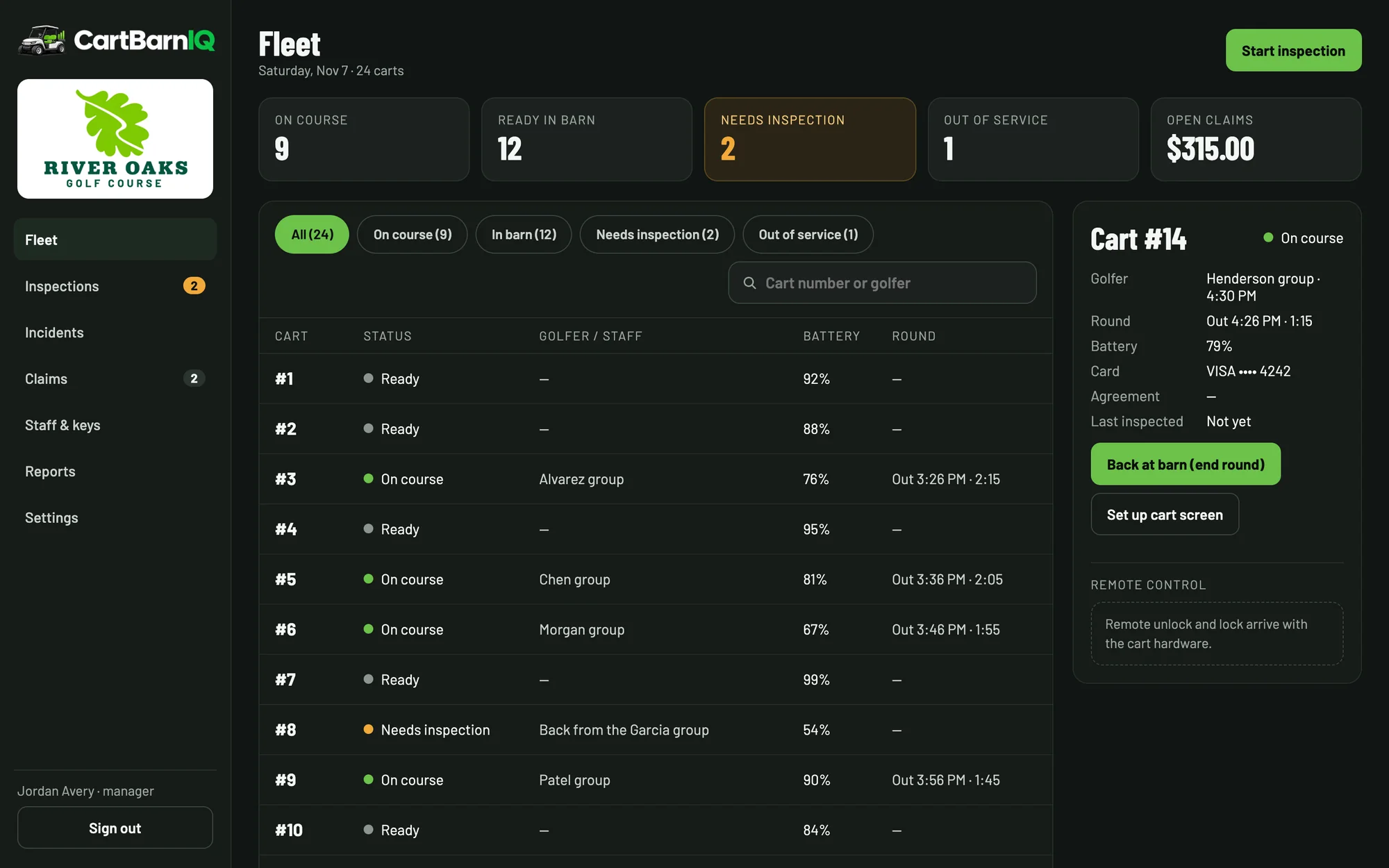
Staff run the fleet from a laptop or tablet in the cart barn. Golfers check in and settle claims from a text on their phone, with nothing to download.
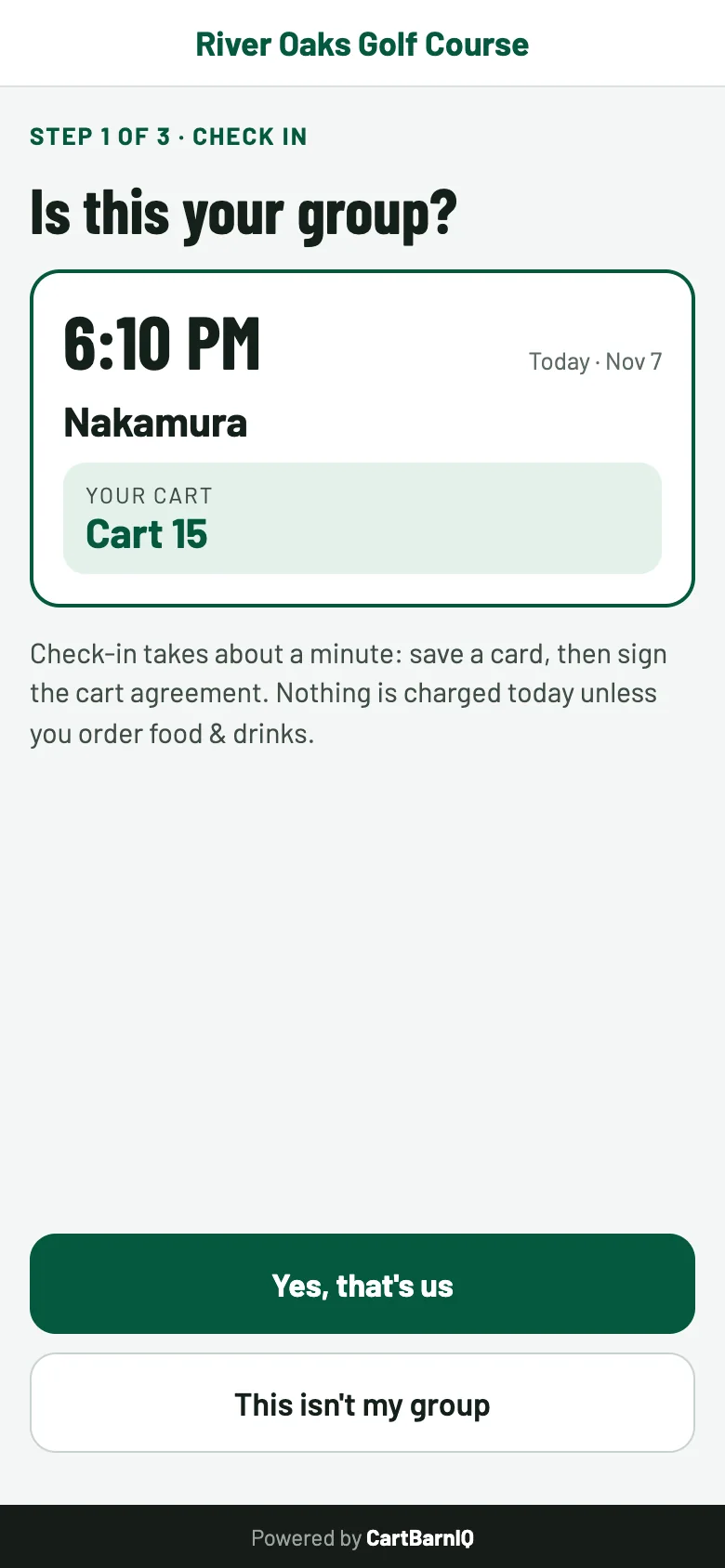
Check-in from a text
The group confirms their tee time and cart, saves a card and signs the cart agreement. Nothing is charged.
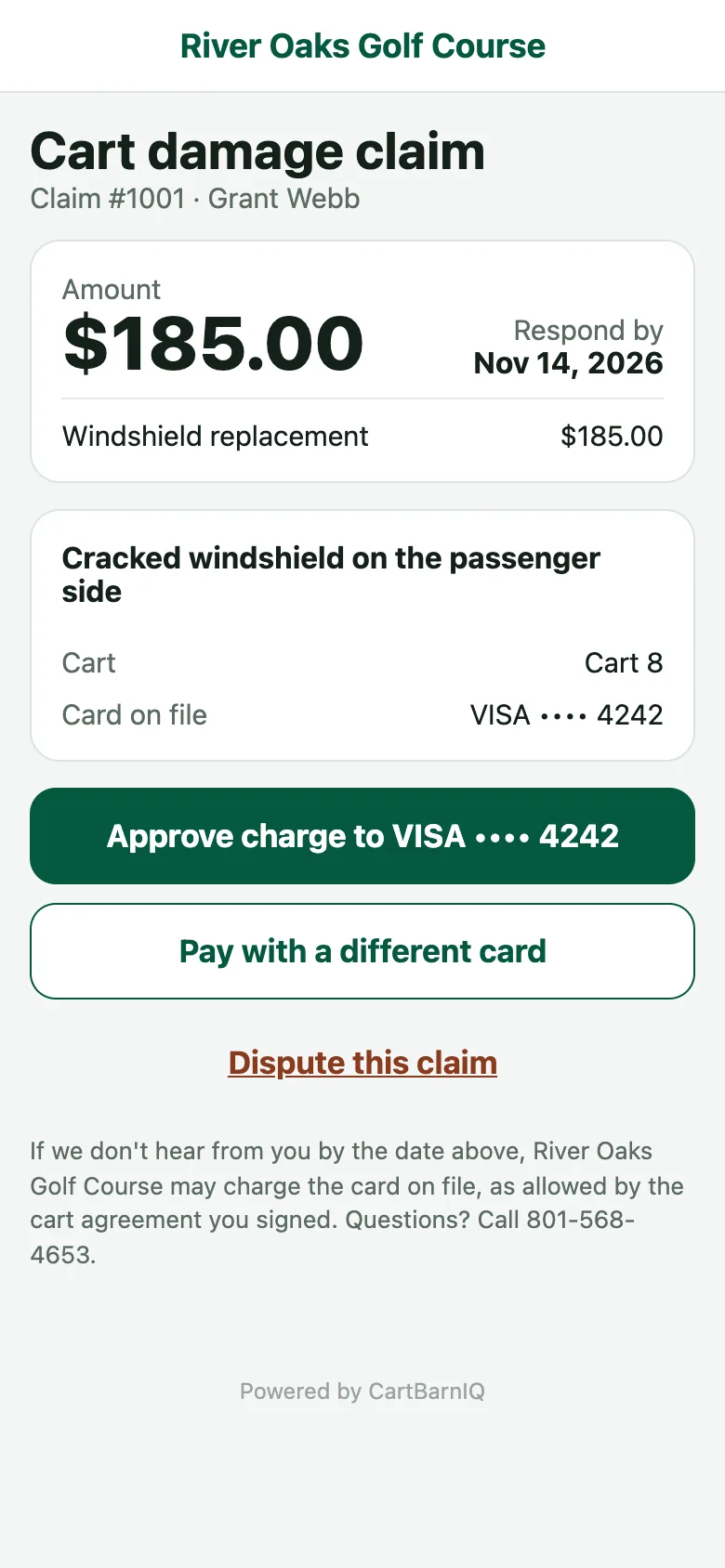
Claims golfers can answer
The golfer sees the damage and the amount, then approves, pays with another card or disputes it, all from the link.
For the cart barn
The whole fleet on one board
Your staff console shows every cart and where it stands, so starters, rangers and mechanics work from the same picture.
- Statuses at a glance: ready, on course, needs inspection, staff unlock, out of service.
- Problems golfers report at the cart show up on that cart right away.
- Roles for managers, starters, mechanics, rangers and cart attendants. Only managers can charge, refund or waive.
- Every action is logged with who did it and when.
- Cart 12ReadyInspected 7:42 AM
- Cart 14On courseHenderson · 6:20 AM tee
- Cart 15Needs inspectionRound ended 9:58 AM
- Cart 21Out of serviceCracked windshield
Damage recovery
Get paid for damage, without the argument
When an inspection finds damage, a manager turns the incident into a claim. The golfer gets a link showing before-and-after photos of each damaged angle, and can approve, pay with a different card, or dispute it.
Claim steps: sent, opened, then approved and charged. Or the golfer disputes it and a manager reviews it.
Photo evidence
Six angles every inspection, compared with the cart's previous one, stored with the claim.
Card on file
Card details go straight to Square. Approved claims charge the saved card right away.
Signed agreement
The golfer signs before the round. The signature is kept with the time and version of the terms.
Texts and email
Golfers hear about claims, reminders, charges and refunds automatically. Reply STOP opts them out.
Pay windows
Claims past the course's pay window go overdue, and a manager can still charge them.
Full timeline
Every claim keeps a timeline of each step: sent, opened, charged, disputed, waived or refunded.
For golfers
Fair play for every foursome
Nothing charged up front
Saving a card at check-in doesn't charge it. A charge only happens for damage, with photos to show for it.
Your side of the story
Note damage that was already there before you drive off, and dispute any claim you don't agree with.
Your data stays yours
We never sell your information or use it for ads, and we never see your full card number. Privacy policy.
Get started
Bring CartBarnIQ to your course
Public, municipal or private, we'll set up your fleet, your cart screens and your staff.